> For the complete documentation index, see [llms.txt](https://docs.decube.io/llms.txt). Markdown versions of documentation pages are available by appending `.md` to page URLs; this page is available as [Markdown](https://docs.decube.io/overview/changelog/archive/2025.md).
# 2025
Decube releases in 2025.
## \[Release Version: 1.46.0] 18 December 2025
**\[Data Quality: Unified Thresholds & Scorecards]**
We have introduced a unified configuration for Data Quality testing, streamlining how you monitor Null, Unique, Email, and UUID constraints. Users can now switch seamlessly between Row Count, Percentage, or Automatic thresholds within a single interface.
* Previously, legacy percentage-based tests (such as Null% or Unique%) were excluded from high-level reporting; these new Unified Tests are now fully integrated into your Data Quality Scorecard calculations, providing a more accurate and comprehensive view of your data health.
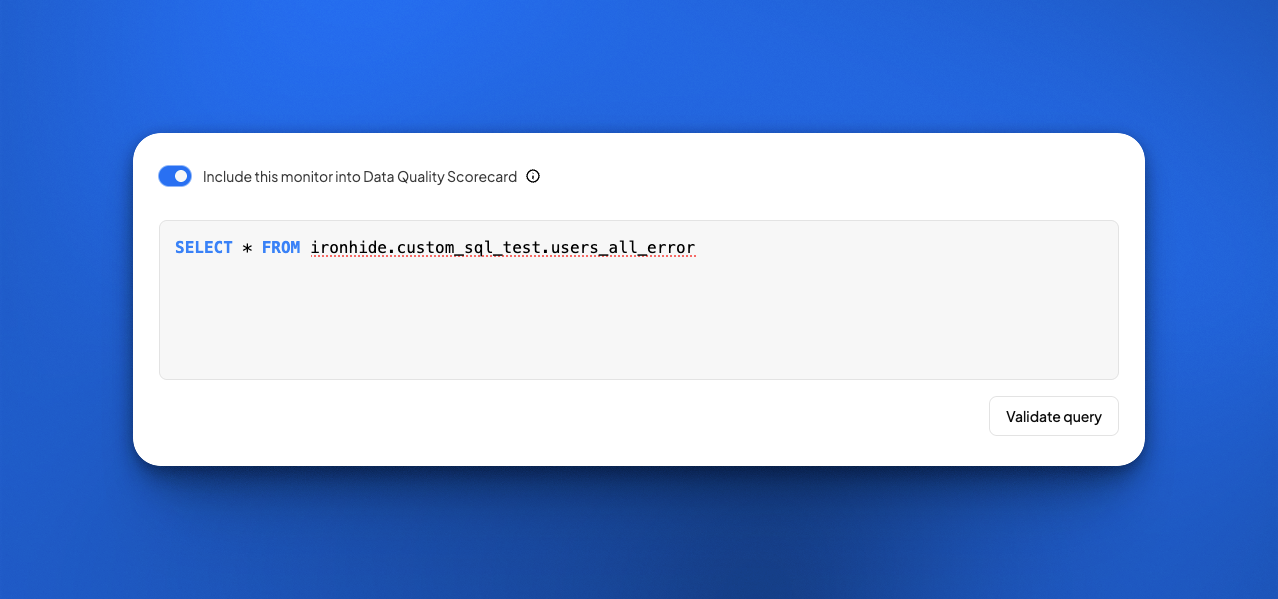
* Additionally, Custom SQL and Regex monitors have been upgraded to support these threshold configurations, allowing for more granular control over your custom validation logic.
**\[Public API: Monitor Schema Update]**
To support the new threshold capabilities, the Public API has been updated with a revised schema structure.
* All existing monitor configurations fetched via GET requests will now return the new schema structure. This change ensures consistency between the UI and programmatic configurations.
* Existing tests utilizing thresholds have been automatically migrated to this new structure to maintain compatibility with the enhanced threshold UI.
See the changes [here](https://docs.decube.io/public-api/overview/index/monitors/create-manage-and-delete.md).
**\[Governance: Policy Tag Enhancements]**
Previously, classification policy tags were restricted to a 25-character limit, which often forced users to use unclear abbreviations for complex compliance categories.
This limit has been increased, allowing users to create more descriptive and accurate policy tags that align better with organizational naming conventions.
## \[Release Version: 1.45.0] 2 December 2025
**\[Feature Release] Description Mode Selection (BETA)**
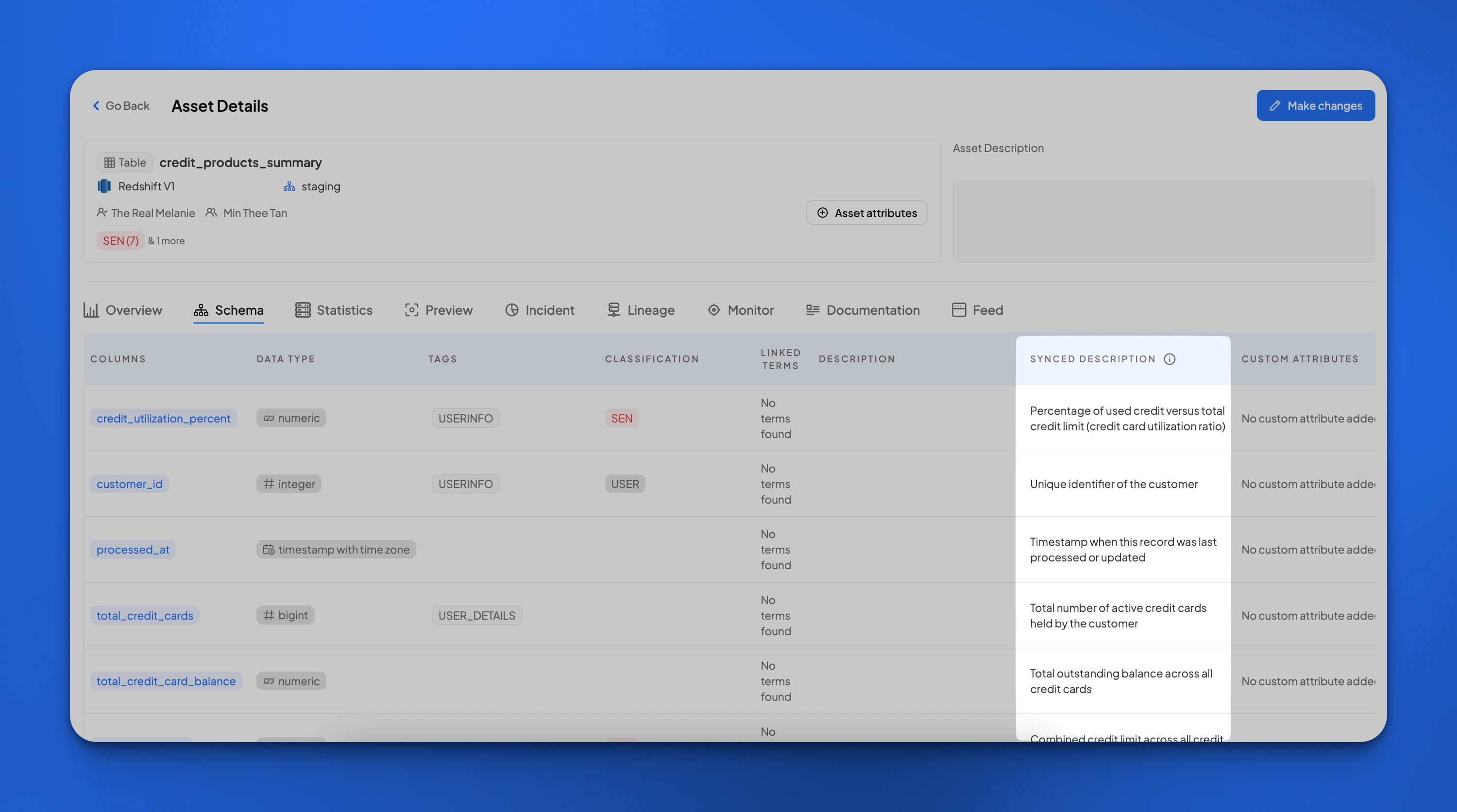
We’ve introduced a new Description Mode Selection at the source level, giving you control over how descriptions appear in the Catalog, either **User-managed** (editable in decube) or **Synced description** (read-only synced from source). This reduces clutter, improves clarity, and supports better documentation governance.
* Currently supported for **Snowflake** and **Redshift** sources.
* **Added support for schema object type:** Description Mode applies to Schema, Table, and Column levels, providing full consistency across all asset types.
**Key Highlights:**
1. **Choose your mode:**
1. While connecting or modifying a source (via *My Account → Integrations*), you can choose between user-managed or synced descriptions.
2. Both options are stored in Decube, and you can switch modes anytime via Modify Source your selection applies instantly in the UI and CSV export.
2. **UI Updates:**
1. Only one description field (based on selected mode) is displayed across Catalog.
2. In Asset details -> Asset description field is moved to the asset attributes modal, you can edit and view table/schema descriptions in the asset attributes modal.
3. **CSV Enhancements**
1. Default export includes the selected description (based on mode).
2. New checkbox added to Export Catalog (Tables/Datasets) form to include both descriptions for auditing or comparison.
3. Synced field appears as Source description (read-only) in CSV.
4. Only user-managed description can be imported - remove source description before import.
4. **Public API**
1. Both description and source\_description are returned via API for integration flexibility.
**\[Feature Release] Custom Attributes Export/Import**
You can now bulk update Custom Attributes across your Catalog and Glossary.
1. Export CSV: You can now see the Custom Attributes attached to an asset in the exported CSV.
2. Import CSV: To apply custom attributes to an asset, you can add columns in the CSV with headers `CA:` with their corresponding values to add them to the Catalog.
1. You will be able to add custom attributes with its corresponding value to an asset, update its value or remove it entirely via the Import function.
2. Importing operation requires specific format and rules. Review them in [https://github.com/DecubeIO/decube-docs/tree/public/csv-template-structure-edit-existing-items.md#custom-attribute-columns-ca-less-than-attribute-name-greater-than](https://github.com/DecubeIO/decube-docs/tree/public/csv-template-structure-edit-existing-items.md#custom-attribute-columns-ca-less-than-attribute-name-greater-than "mention")
3. **Pre-requisite:** You will need to create the Custom Attributes first in the Org settings before proceeding to use them in the Import.
## \[Release Version: 1.42.0] 13 November 2025
**\[Custom Attributes: Search & Filter]**
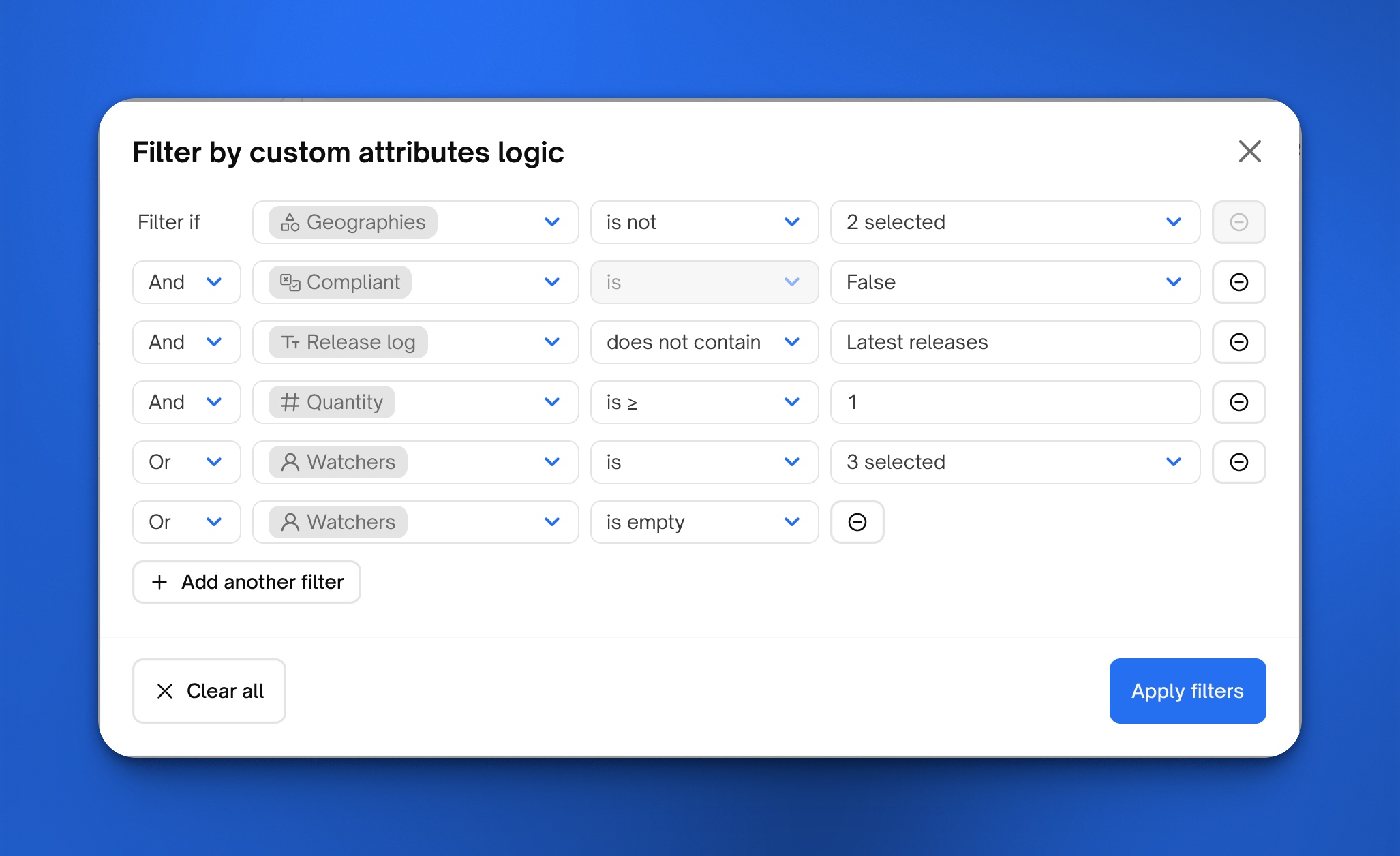
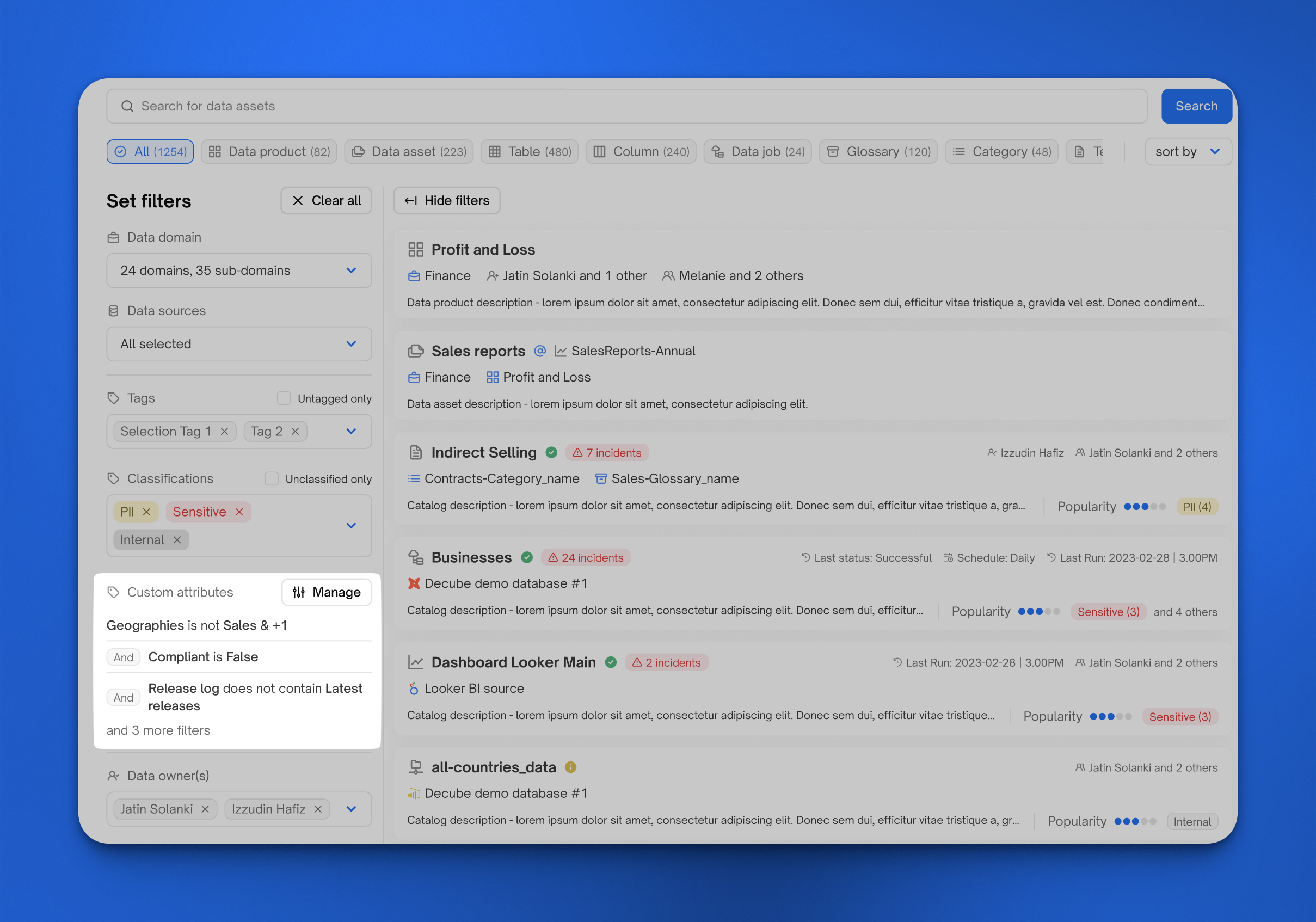
* Adds an "Attributes" filter section to the Catalog sidebar that lets users build and apply advanced, org-level custom attribute filters.
* Users can add multiple attribute filter rows in a single modal session, combine rows with AND/OR, and see active attribute filters displayed as chips in the sidebar.
**\[Custom Attributes: Public API]**
* New APIs for [Custom Attributes management](https://docs.decube.io/public-api/overview/index/custom-attributes.md): GET, POST, PUT, DELETE operations
* Custom Attributes added to [GET, PATCH Assets APIs & POST Search Asset API](https://docs.decube.io/public-api/overview/index/assets.md)
**\[User management: Invite User]**
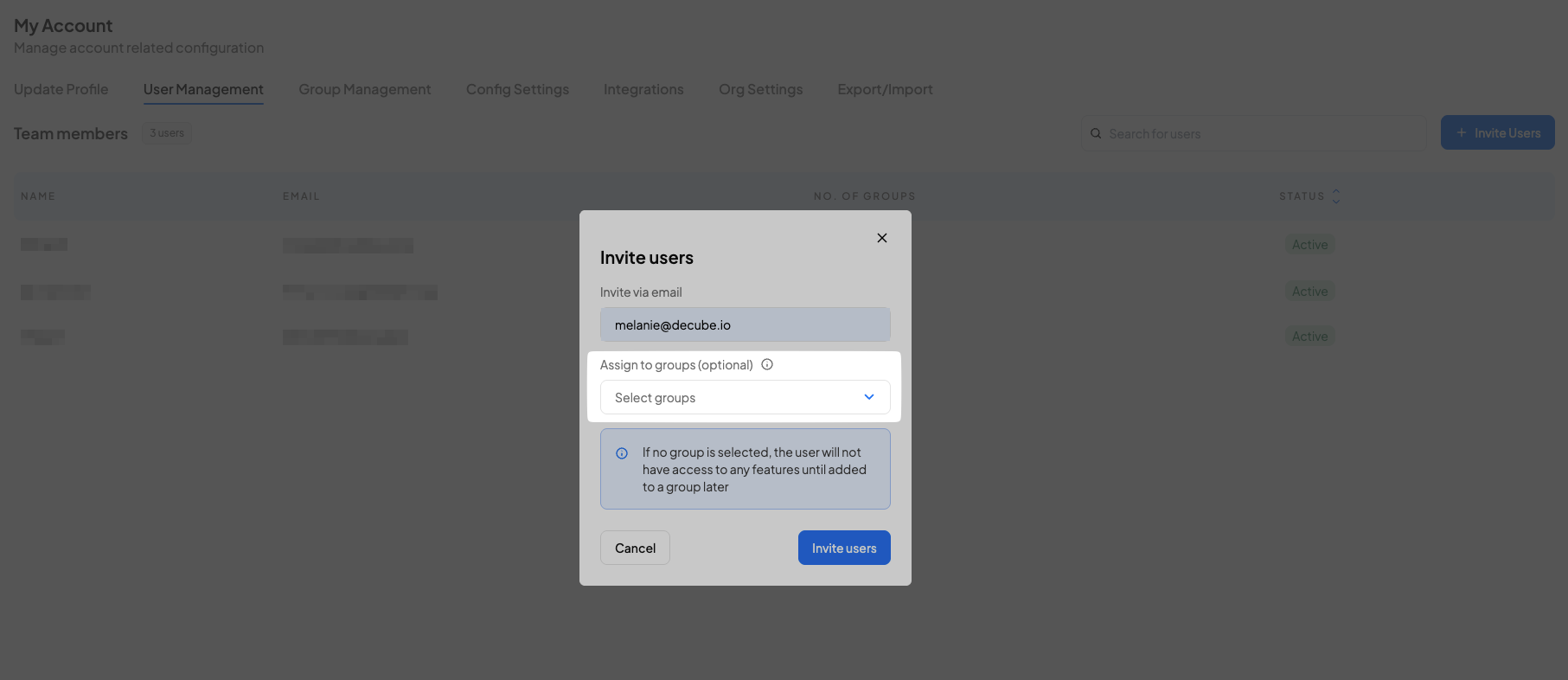
* New: Assign groups during user invitation — Administrators can now select one or more groups in the Invite Users modal to automatically add invited users to the selected groups after they accept the invite.
## \[Release 1.41.0] 12 November 2025
**Data Mesh Module Deprecated**
* The current Data Mesh module, which included Data Domains, Data Products, and Data Contracts, has now been fully deprecated and removed from the platform.
* This deprecation marks the retirement of the existing Data Mesh experience to pave the way for a redesigned approach that will better align with core platform features such as ownership visibility, cross-linking, and configuration integration.
* All associated data and configurations have been removed, and documentation has been updated to reflect this change.
## \[Release 1.40.4] 24 October 2025
**\[Improvement]**
Enable multi-catalog ingestion on Databricks. Previously, one Databricks connection only allowed one catalog to be ingested. This has been updated so that all catalogs within a Databricks warehouse is ingested within a single connection.
* `Catalog` field has been removed from the connection form.
* Refer our Databricks connector documentation here: [Databricks](https://docs.decube.io/warehouses/databricks.md)
## \[Release 1.40.0] 16 October 2025
**\[Feature Release] Migration of Data Sources to Integrations tab**
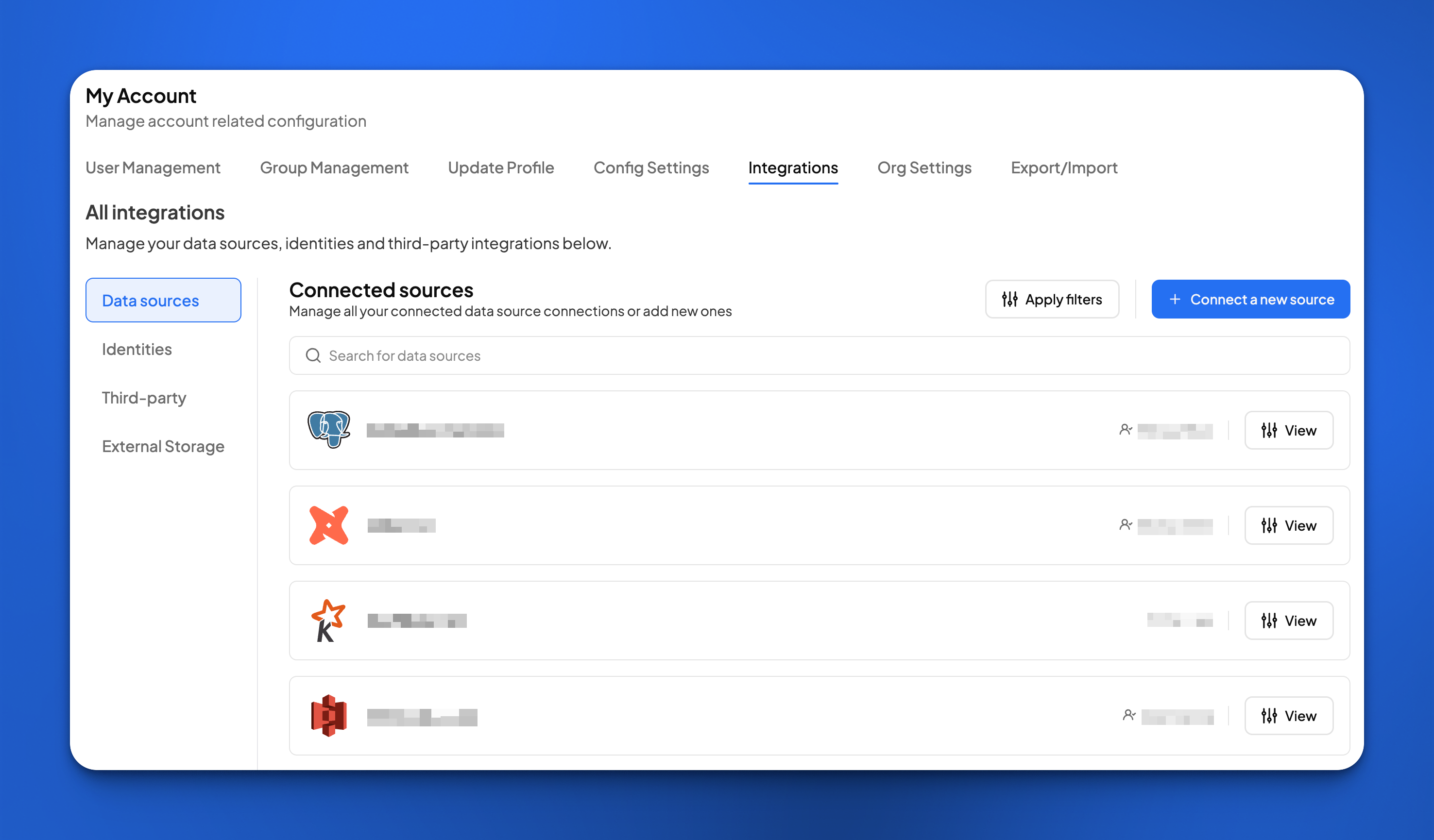
This update is designed to make managing your data connections more intuitive and efficient. We have moved **Data Sources** into the **Integrations** tab.
This change centralizes all your data connection management into a single hub, making it easier for you to create and manage all integrations to your Decube account in one place. Here are the list of changes:
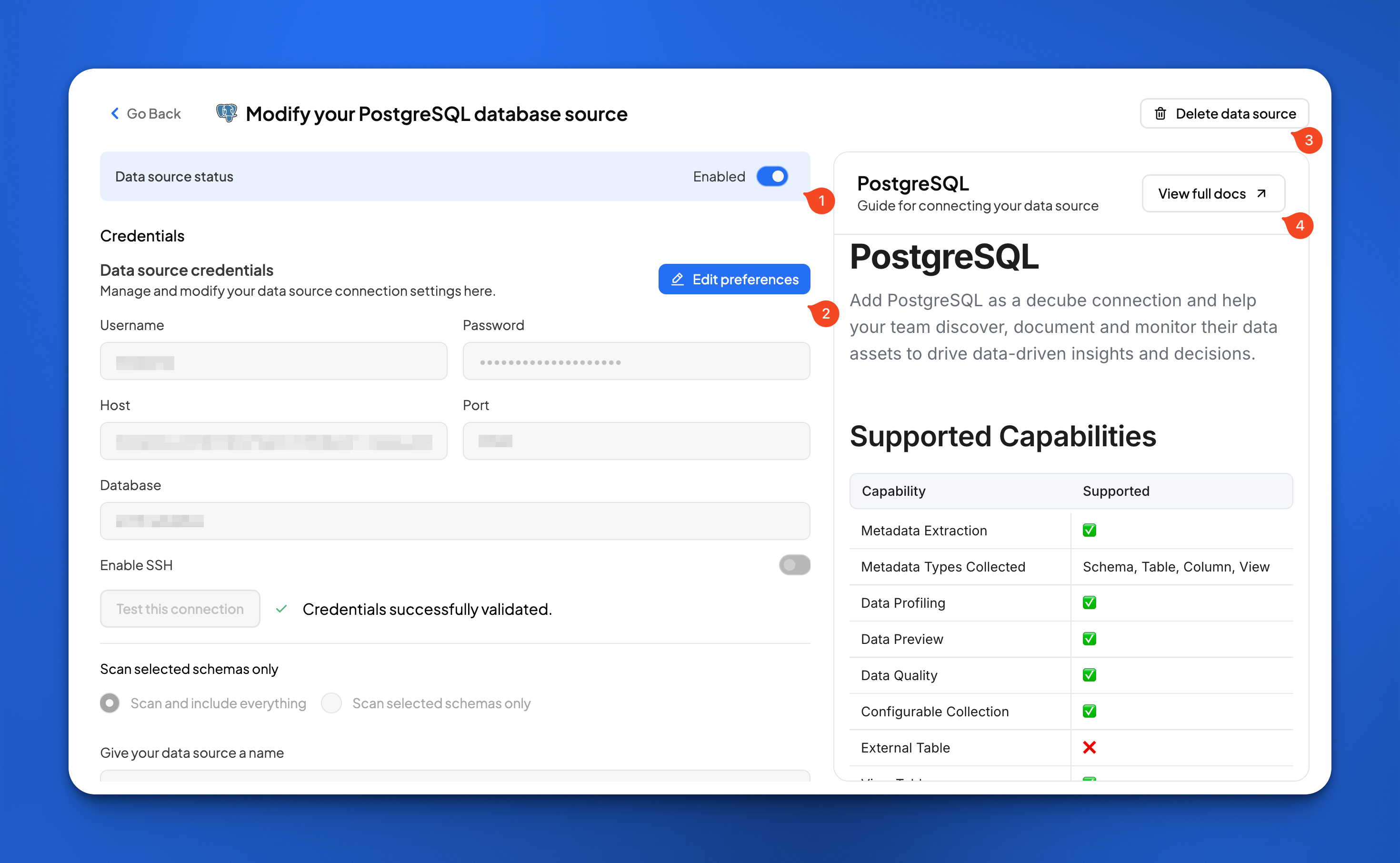
* Data sources now shown as cards (icon, status, name, owner) with View button.
* Search and filters on Data Sources list (search by name; filters: status, connector, owner) plus empty states and active-filter UI.
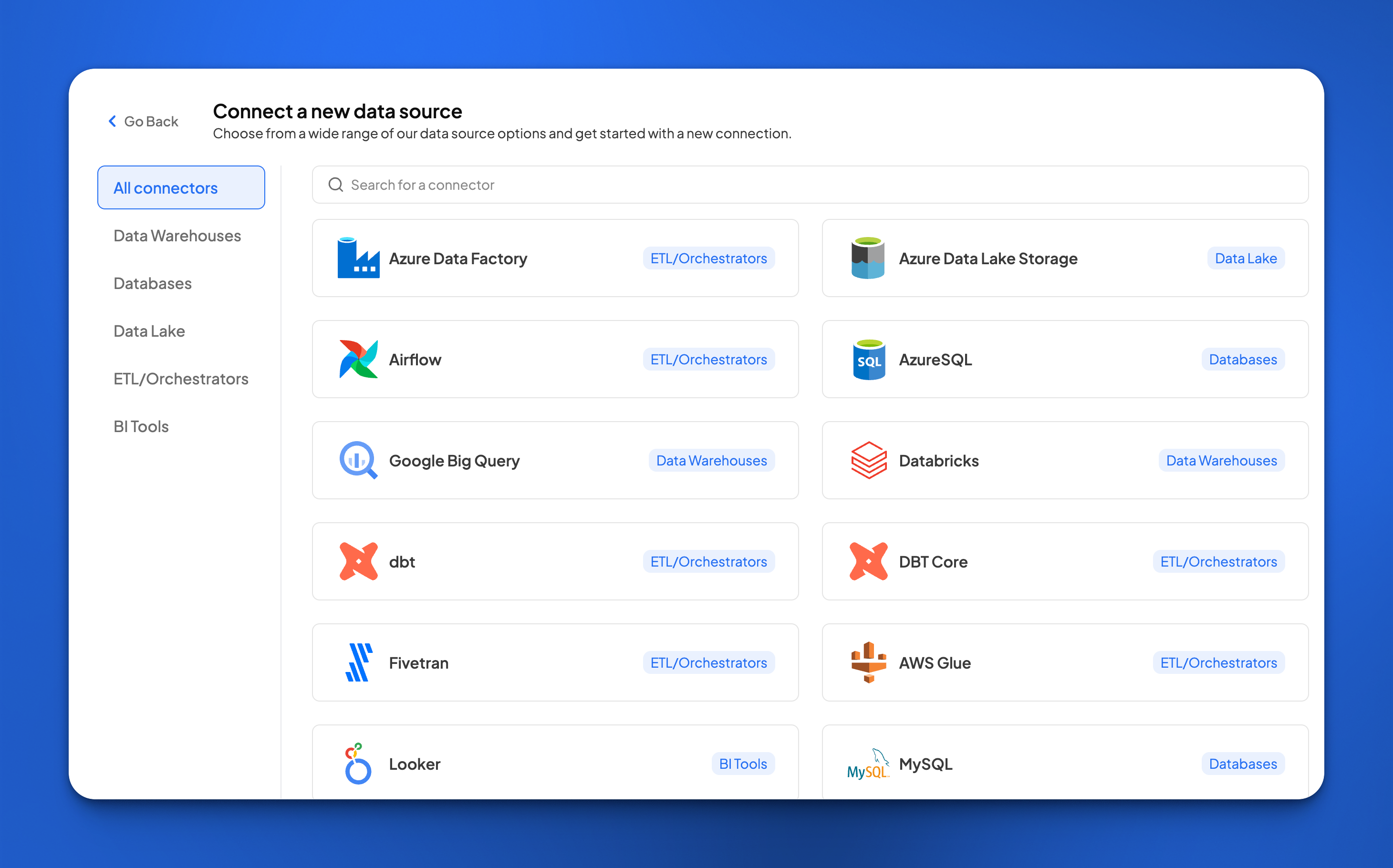
* Connector gallery to add new sources with static category tabs and search.
* Each connector page now has embedded documentation. This allows you to quickly reference supported feature capabilities and permission requirements without leaving the page.
## \[Release 1.39.0] 13 October 2025
**\[Feature Release] Attribute Types: Integer, User, Enum, Boolean**
This release expands Custom Attributes beyond free-form text. You can now define organization-level attributes with the following types: Integer, User, Enum, and Boolean — and apply them to Catalog asset details and Glossary objects. Key highlights:
1. **New attribute types**
* Integer — numeric attributes with validation for whole numbers.
* User — link attribute to one or more users (single-select or multi-select depending on the attribute configuration).
* Enum — pre-defined option lists; editing an Enum value affects all existing attribute values that use that Enum.
* Boolean — simple true/false toggle for quick flags. See more details [here](https://docs.decube.io/org-settings/custom-attributes.md)
2. **Where to use**
* Apply these attributes on Catalog Asset Details (Asset Overview and Schema) and all Glossary object types (Glossaries, Categories, Terms).
**Improvements**
1. Right click on any incident in the Incidents table to open it in a new tab.
## \[Release 1.37.0] 2 October 2025
**\[Feature Release] Sync descriptions from source \[BETA]**
The Catalog now automatically syncs descriptions from your data source tables and columns from data sources directly into the Decube Catalog on Snowflake and Redshift data sources.
This one-way sync (source → Decube) helps keep your cataloged assets aligned with the source-of-truth descriptions in your warehouse. Read more [here](https://docs.decube.io/catalog/syncing-metadata-from-source/sync-from-source.md).
**\[Feature Release] Custom Attributes for Glossary**
This release adds Custom attributes application to the Glossary, allowing you to add these attributes to any Glossary objects. Read more [here](https://docs.decube.io/glossary/apply-custom-attributes.md).
## \[Release 1.36.2] 29 September 2025
**\[Feature Release] Support for Delta Tables**
* Support has been added to catalog Delta tables on S3 and ADLS connectors. Read more on each documentation here:
* [S3](https://docs.decube.io/datalake/s3.md#example-5-delta-table-s3)
* [ADLS](https://docs.decube.io/datalake/azure-data-lake-storage-adls.md#example-5-delta-table-adls)
## \[Release 1.36.1] 25 September 2025
**\[Feature Enhancement] Lineage click-through**
* You can now click on the Asset name in the Lineage tab and get to its Asset Details in a new tab!
## \[Release 1.36] 24 September 2025
**\[Feature Release] Custom Attributes**
This release introduces the ability to define organization-specific, text-based attributes and apply them directly to your catalog assets. It’s the first step toward a more flexible, context-rich catalog experience. Key highlights:
1. **Custom Attributes Management**
* Create, edit, and delete text-based attributes from Org Settings > Custom Attributes.
* Choose object types and data sources for precise attribute targeting.
2. **Asset Details Updates**
* Refreshed Overview tab layout with a dedicated Custom Attributes section.
* Unified layout across object types to ensure Custom Attributes are displayed consistently.
3. **Custom Attributes Application**
* Add and edit attributes directly on asset details pages, including schema/column level.
* Integrated with change request submission and review workflows.
See more in the documentation [here](https://docs.decube.io/org-settings/custom-attributes.md) for attributes management and [here](https://docs.decube.io/catalog/data-catalog/apply-custom-attributes.md) for application.
## \[Release 1.35] 22 September 2025
**\[Feature Release] Support for Views**
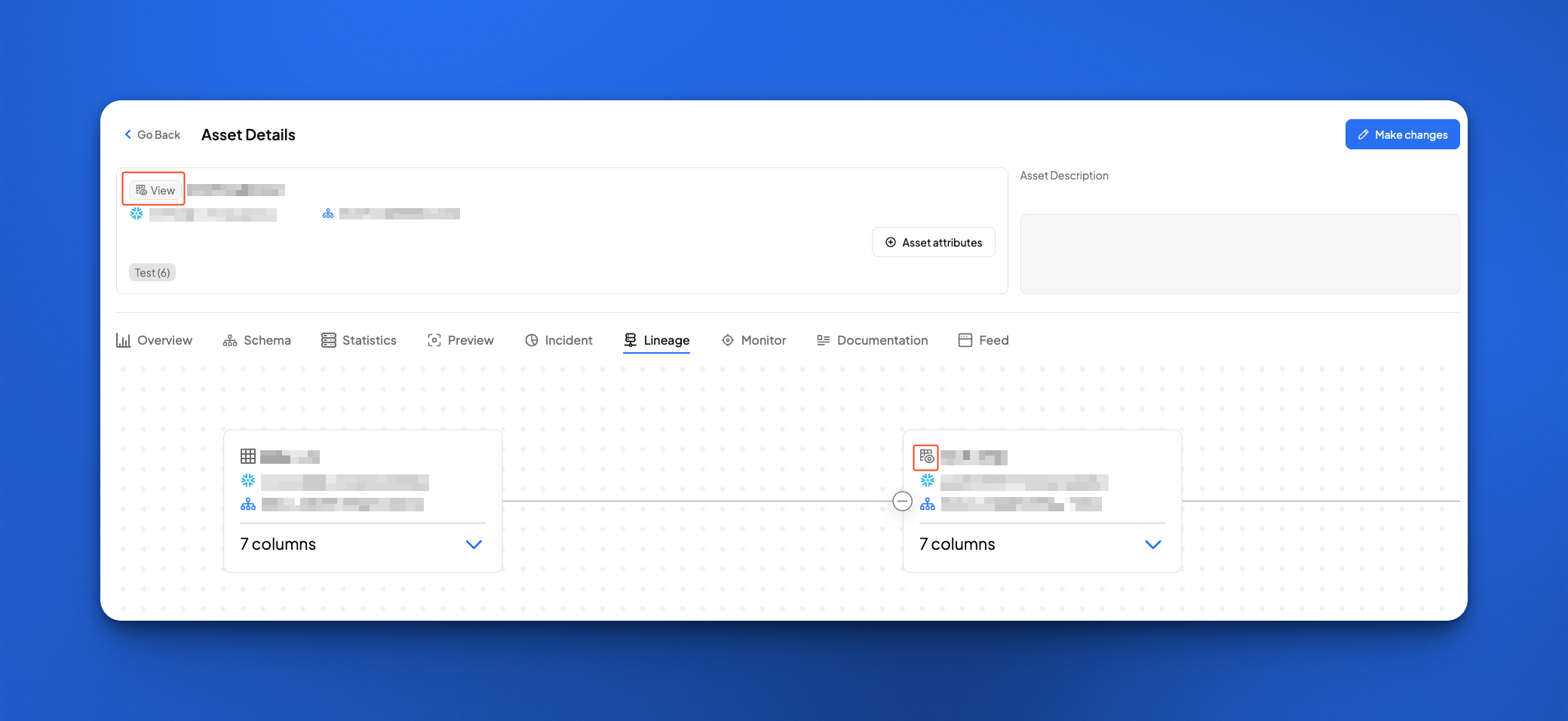
* Views (which were shown as Tables indiscriminately previously) are now displayed with a distinct icon for Views and label for easier identification in the UI.
**\[Feature Release] Data Quality Score & Dimensions for Custom SQL tests**
* Custom SQL tests now [allow the configuration of **Total Row Count Query**](https://docs.decube.io/data-quality/how-to-set-up-monitors/custom-sql-monitors.md#dq-scorecard), which allows monitors to collect the row count for Data Quality scoring. When the Total Row Count Query is enabled for a test:
* The calculated DQ scores populates the selected Dimension in the Dashboard and Reports.
* Monitor History now show the **Total Row Count** for each scan when the **Total Row Count Query** is enabled in the configuration.
* Reports will show the **Total Row Count** aggregated and latest count for scoring.
* Public APIs are updated to reflect the above changes to the Custom SQL tests.
## \[Release 1.34.21] 17 September 2025
**\[Feature Release] Public API - Create, Modify & Delete Monitors**
* Users can now integrate with the Monitors API to create, modify and delete various monitor types on the platform.
**\[Feature Enhancement] Naming convention for Datalake Datasets**
* Improve the dataset naming convention for S3 and ADLS dataset to only show the final folder name in the pathspec as the dataset name.
## \[Release 1.34.18] 29 August 2025
**\[Feature Release] Feature Flag for Access Request Feature**
* Introduced a new setting to control the availability of Access Request feature to organizations.
* By default, no-access assets are shown with limited information so users can discover them and request access. With this feature switched off, users would not be able to discover assets they do not have access to.
* With this setting, organizations can choose to completely hide no-access assets, offering stricter visibility controls.
{% hint style="info" %}
If you would like to switch on/off the Access Request feature on your account, please reach out to your Account Manager.
{% endhint %}
## \[Release 1.34.17] 28 August 2025
**\[Feature Enhancement] Dynamically Truncating Glossary names**
* Glossary names now dynamically truncate according to your screen's aspect ratio, allowing you to view long glossary names in its entirety if you're on a larger screen size.
## \[Release 1.34.14] 21 August 2025
**\[Public API] New Monitor Endpoints**
{% content-ref url="/pages/dqzq5MYrcKtFndI2eX83" %}
[Monitors (classic)](https://docs.decube.io/public-api/overview/index/monitors.md)
{% endcontent-ref %}
1. GET Monitor
2. POST Search Monitors
3. POST Enable/Disable Monitor
## \[Release 1.34.13] 21 August 2025
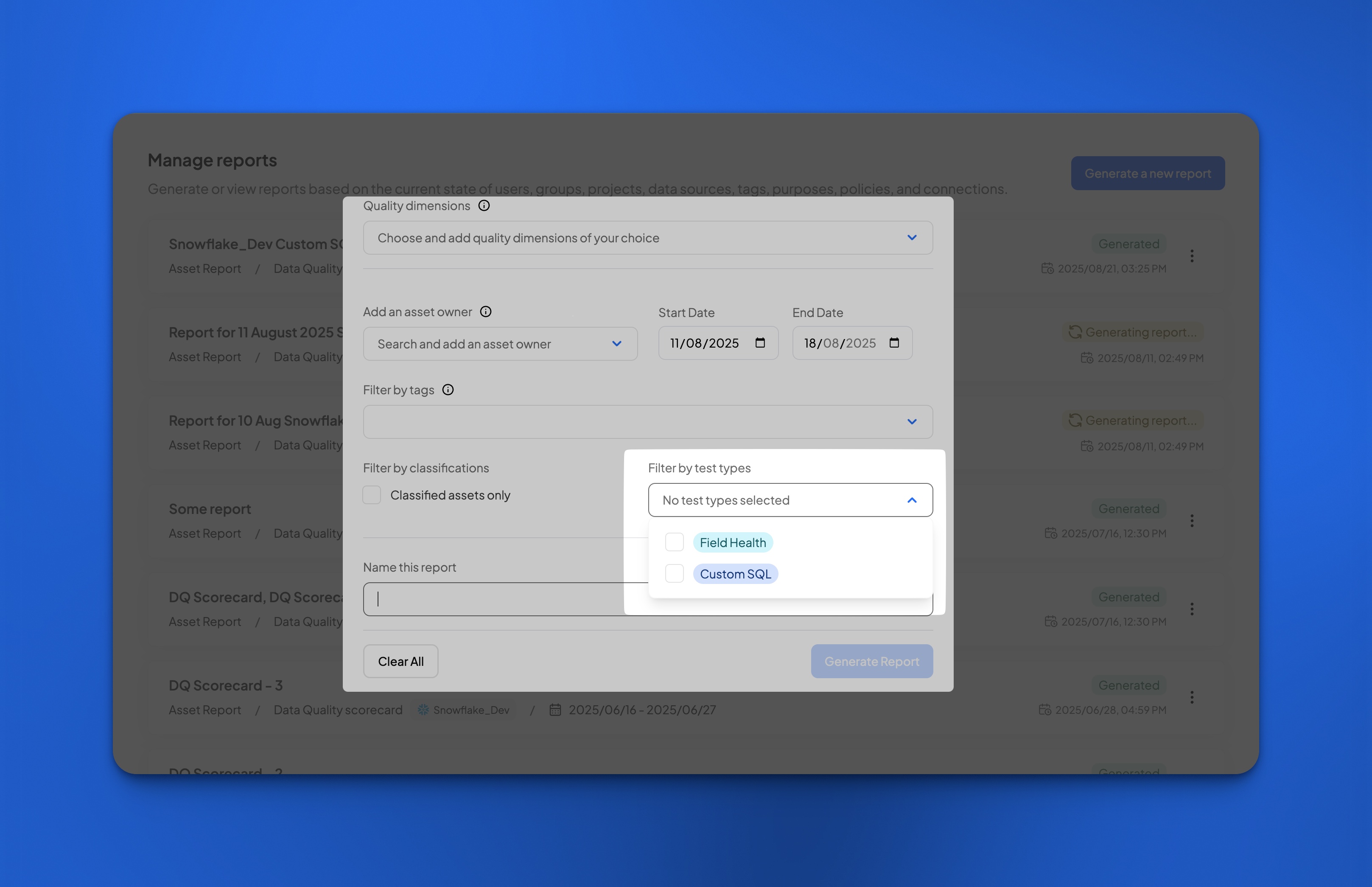
**\[Feature Enhancement] Inclusion of Custom SQL into Reports**
* Custom SQL results are now available to be downloaded in the Reports module.
* CustomSQL results are now added to the report generated, with `agg_error_row_count` included in the Reports.
* Future sneak-peak: To allow calculation of DQ Score in the Reports and Dashboard, we would be including the ability to add a user-defined denominator in the CustomSQL. This will allow you to add a method to calculate the score from CustomSQL rules and assign a Quality dimension.
* Data Quality Reports generation now support Test Type filtering with Field Health and Custom SQL options.
* Custom SQL results are also added into the [Reports AP](https://docs.decube.io/public-api/overview/index/reports/data-quality-scorecard.md)I.
\
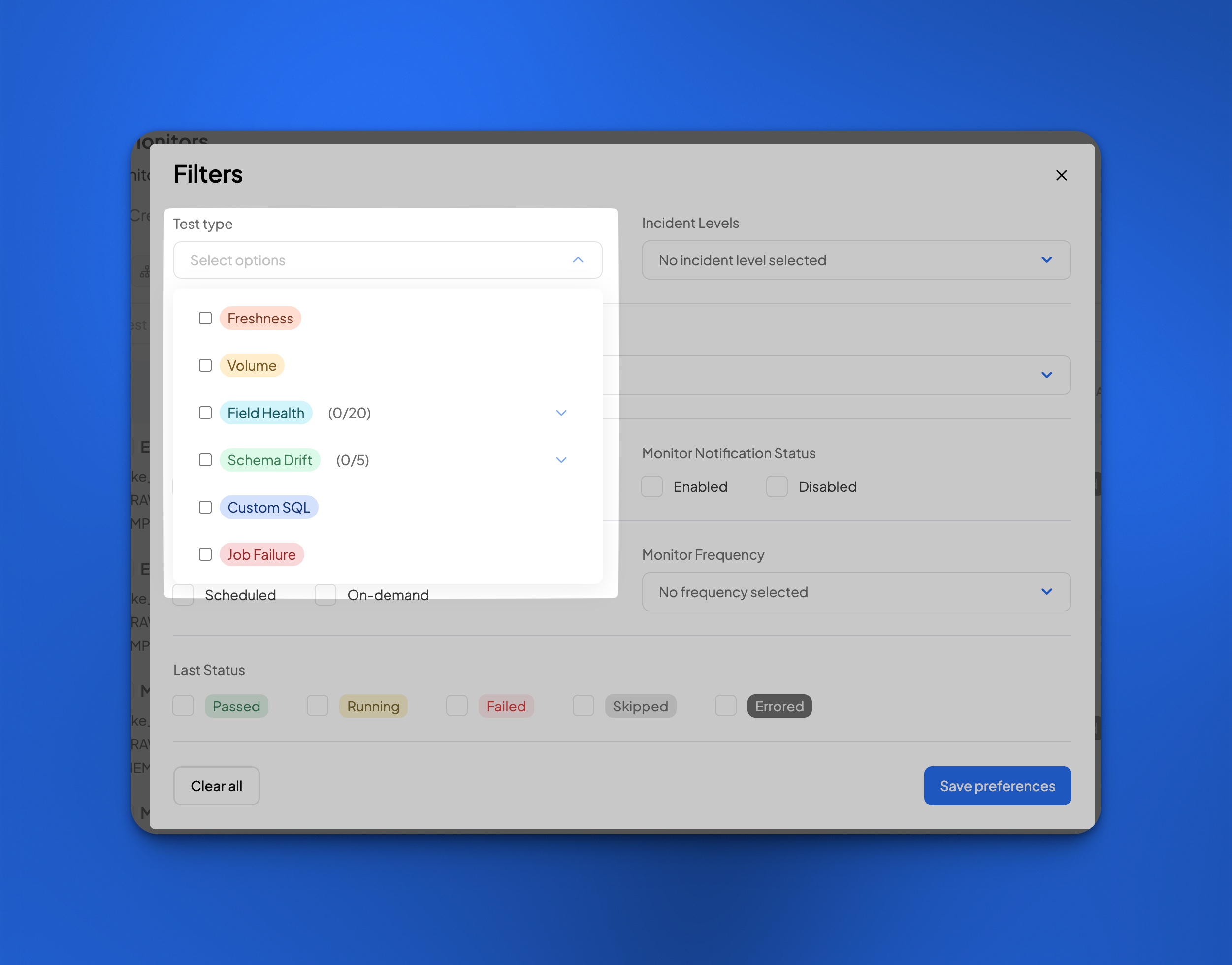
\&#xNAN;**\[Feature Enhancement] Config**
Filter with precision :rocket: — Config now supports Test Type filtering with drill-down sub-types, consistent with Incidents.
## \[Release 1.34.11] 18 August 2025
**\[Feature Enhancement] Data Governance**
We’ve leveled up Data Governance 🚀! Clearer navigation, in-tab rule search, improved feedback, and a refined review process: all designed to make workflows smoother and more reliable. Rule creation now supports grouped requests, auto-add for future assets, and distinct review modes for faster, more transparent approvals. **Here’s what’s new:**
1. **UI & Usability Enhancements**
* **Simplified Navigation:** `Policy Info` and `Rules` are now in separate tabs for a cleaner, more focused experience
 
* **Rule Search:** Search directly within the Rules tab to quickly locate specific entries

* **Improved Feedback:** Tooltips clarify the difference between masking types (policy vs. rule). Clear toast messages now appear for all key actions — success, error, and updates.
2. **Rule Creation & Review Improvements**
* **Grouped Change Requests:** Users can now bundle multiple changes (rule edits, policy updates) into a single request. The summary view under `Manage Requests` → Rules tab shows all changes categorized as Created, Modified, or Deleted — including asset-level differences.
* **Reset Button:** A `reset` option has been added in the rule creation modal, with a tooltip warning that current selections will be cleared.
* **Auto-Add for Future Assets:** Rules can now be created in advance with `auto-add` enabled. A tooltip clearly explains how new matching assets will be automatically included.
* **Clear Review Flow:** Rules now support distinct `View`, `Modify`, and `Review` modes — with side-by-side change comparisons for easy approval.
* **Rule Info Card:** An info card has been added to the `Already Selected` tab to provide clarity on what basis current assets were selected when the rule was originally created.
**\[Feature Enhancement] Glossary**
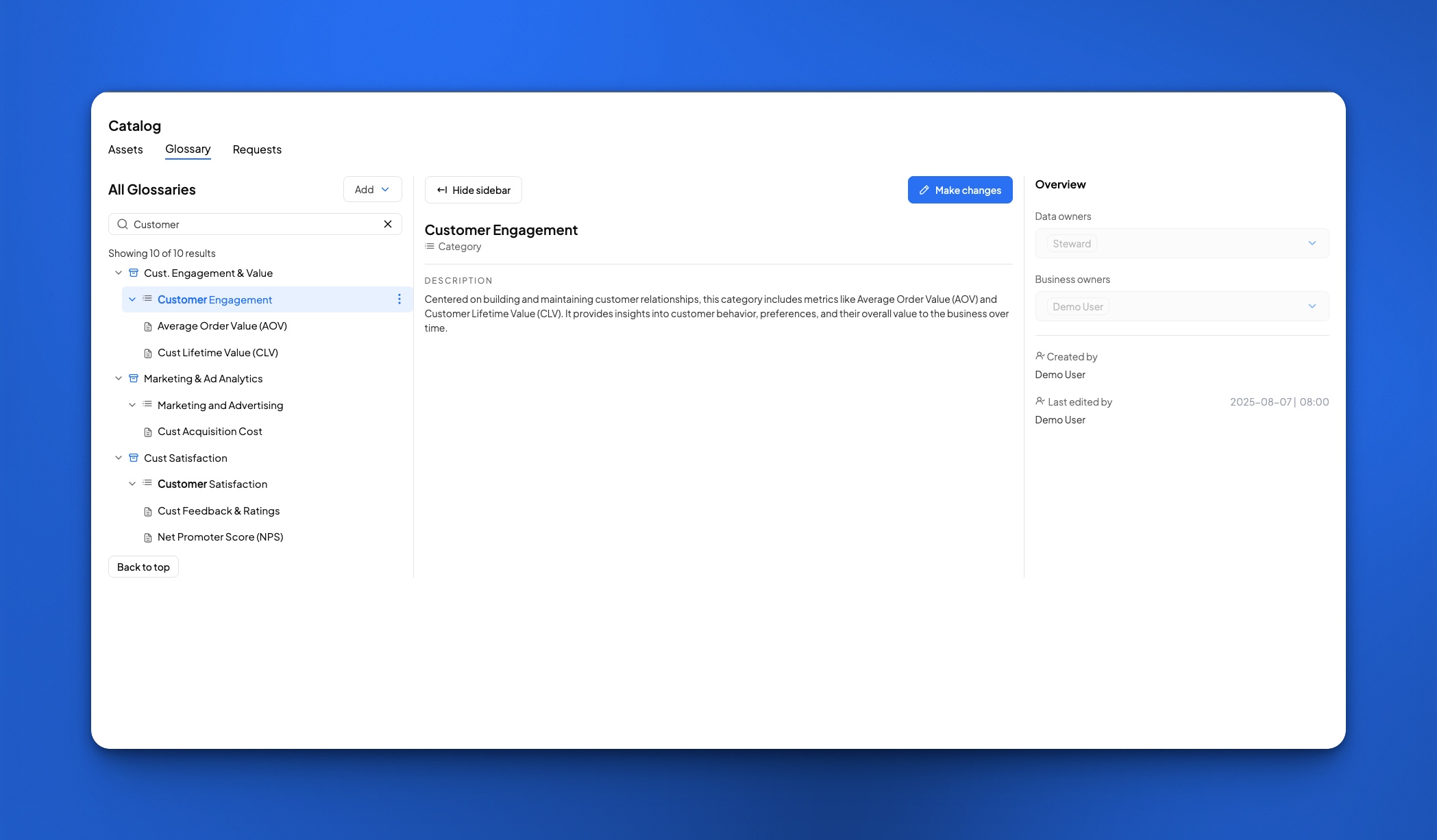
Introduced `Copy Link` action for glossary assets, allowing users to quickly copy and share direct links to a specific asset for easier reference and collaboration.
**\[Feature Enhancement] Public API - New Monitor Endpoints**
{% content-ref url="/pages/dqzq5MYrcKtFndI2eX83" %}
[Monitors (classic)](https://docs.decube.io/public-api/overview/index/monitors.md)
{% endcontent-ref %}
1. GET Monitor History
2. POST Enable/Disable Scheduled Monitor
3. POST Trigger On-Demand Monitor
## \[Release 1.34.7] 8 August 2025
**Enhancements**
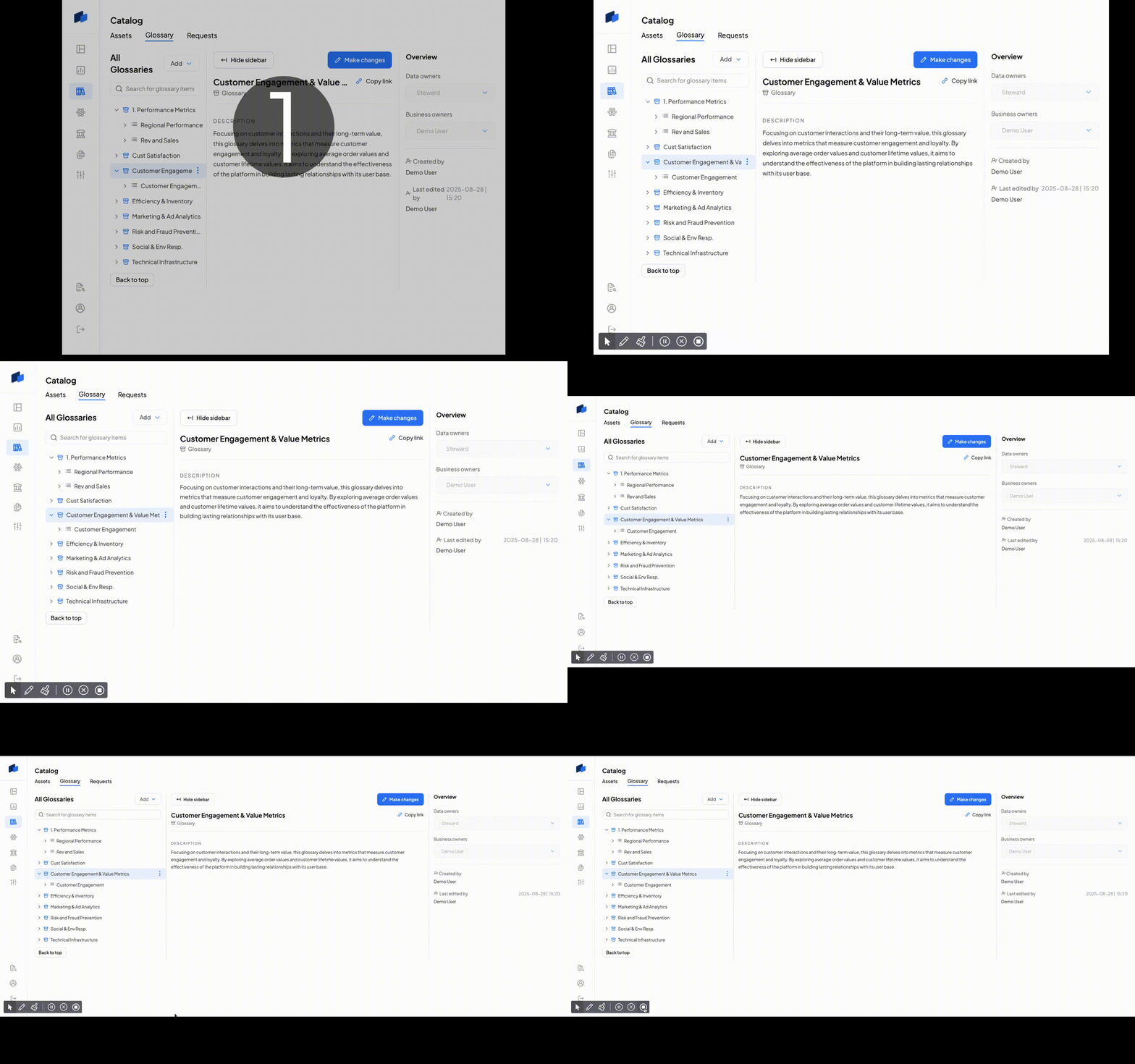
* Search functionality has been added to the Glossary. You can now directly search for Glossaries, Categories and Terms within the Glossary page itself.
* Catalog > Search results are also retained when you go back to it after moving to or accessing another page in the Catalog.
{% embed url="" %}
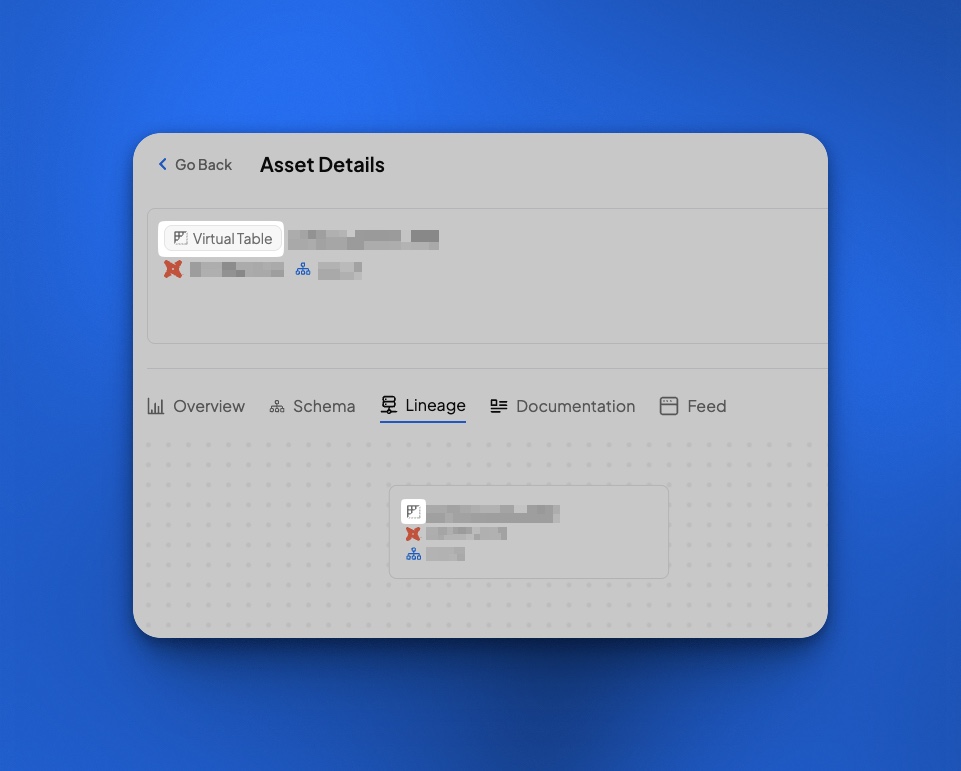
* Virtual table now has a new icon! This allows you to differentiate virtual tables from regular tables in the Catalog.
## \[Release 1.34.4] 1 August 2025
**\[Feature Release] Filtering by Classifications**
* Introduced the ability to filter both **Data Quality** and **Incidents** dashboards by **Classification Policies**.
* Enables users to view metrics and incidents only for datasets with specific classifications (e.g., PII, GDPR).
* Helps prioritize monitoring and issue resolution for sensitive or regulated data more effectively.
## \[Release 1.34.2] 30 July 2025
**\[API Enhancement] Data Quality Reports APIs**
We're excited to announce the release of our new Data Quality Scorecard API.\
This API allows you to programmatically retrieve, monitor, and report on the quality of your data assets. Now you can:\\
* Generate DQ Scorecard: Generate data quality scorecard reports for specified periods. Reports can be filtered by data source, schema, data quality dimensions, data owners, and tags.
* Retrieve DQ Scorecard Result: Access generated report results, including aggregated and latest DQ scores, error counts, and monitor details.
You can use the API to schedule a daily job to fetch scores, ingest the results into your data warehouse, and build a dashboard for proactive monitoring.\
Check out the documentation to get started: [Data Quality Scorecard](https://docs.decube.io/public-api/overview/index/reports/data-quality-scorecard.md)
## \[Release 1.32.1] 28 July 2025
**\[API Enhancement] Assets APIs**
We've expanded our Public API with new Assets management endpoints, giving developers programmatic access to search, retrieve, and update catalog assets.
**New API endpoints:**
* **Search Assets:** Search and filter assets by type, parent, tags, classifications, and owners with paginated results
* **Get Asset:** Retrieve specific asset details by ID and type, including parent hierarchy and attributes
* **Update Asset:** Modify asset attributes such as descriptions, owners, and linked terms for various asset types
Supported asset types include sources, collections, datasets, properties, dashboards, charts, data jobs, policies, glossaries, categories, terms, and data domains. All endpoints support flexible filtering and comprehensive asset management capabilities.
For detailed API documentation and examples, see the [Assets API documentation](https://docs.decube.io/public-api/overview/index/assets.md).
## \[Release 1.32.0] 10 July 2025
**\[New Module: Export/Import]**
We’re excited to announce the launch of Export-Import module—a powerful new way for data governance stewards and catalog users to manage metadata at scale. This feature is designed to streamline bulk updates, onboarding, and catalog maintenance, empowering your team to work faster and more efficiently.
**Key highlights:**
* Self-serve UI for instant export and import of catalog assets, glossary terms, and classification policies—no more waiting for support.
* Download ready-made CSV templates to add new glossary objects or classification policies, or export existing metadata for bulk review and editing.
* Import completed CSVs to apply updates or create new records in Decube, with smart validation and detailed error reporting.
* Supported objects include Catalog (datasets, dashboards, charts, data jobs), Glossary (glossaries, categories, terms), and Classification Policies.
* Strict access control: Only users in the Owner group can perform export/import operations, ensuring governance and security.
* All actions are logged in the History tab for full traceability, with downloadable error reports and operation statuses.
* Comprehensive documentation, best practices, and FAQ to help you get started and avoid common pitfalls.
For more details, see the [Export/Import documentation](https://docs.decube.io/export-import/export-import-overview.md).
## \[Release 1.31.2] 20 June 2025
**\[Feature Release] S3 and ADLS Connector Upgrade**
We've updated the connector for ADLS and S3. This improvement allows users to:
1. Control the ingestion of files by defining it in the path specifications:
1. **Control the format of CSV, JSON, JSONL:** You can now define the encoding, delimiter, if the file has headers and other settings in the path specification. This allows you to control how the collector will ingest the metadata of the datasets.
2. **Include only datasets that match this pattern**: If the path spec specifies a table, and the regex is provided, only datasets that match the regex will be included. This gives you control over which datasets to be included into the catalog.
2. You can also see new metadata information collected from the dataset that is ingested into Decube:
1. No. of Dataset Files
2. Total Dataset Size
Check out the data sources page for the changes:
* [Amazon S3 Datalake](https://docs.decube.io/datalake/s3.md)
* [Azure Data Lake Storage](https://docs.decube.io/datalake/azure-data-lake-storage-adls.md)
## \[Release 1.30.0] 8 May 2025
**\[Feature Release] Application Principal Management System**
We’ve introduced a new authentication mechanism that enables identity-based access to AWS data sources using IAM roles and service identities.
* Allows customers to authorize Decube to connect to their AWS data sources using trusted IAM identities
* Supported data sources:
* [Amazon S3 Datalake](https://docs.decube.io/datalake/s3)
* [AWS Glue](https://docs.decube.io/transformation-tools/aws-glue)
* [DBT Core with S3 storage](https://docs.decube.io/transformation-tools/dbt-core)
➡️ Learn more by clicking the links above for setup and configuration details.
*For more details on creating identities, refer to this* [*documentation*](https://docs.decube.io/security-and-connectivity/aws-identities)*.*
## \[Release 1.30.7] 2 May 2025
**\[Feature Release] OpenLineage Connector**
We have introduced a new OpenLineage connector to support ingestion of lineage metadata from third-party systems.
➡️ Learn more in the [*OpenLineage documentation*](https://docs.decube.io/transformation-tools/openlineage)*.*
## \[Release 1.29.0] 23 April 2025
**\[Feature Release] Added ability to move Term between Glossaries**
* New "Move Term" option added to the ellipsis menu in Glossary
* Users can select a target Glossary or Category from a dropdown list
*For more details, refer to the* [*Move Term documentation*](https://docs.decube.io/moving-terms-to-glossary-category)*.*
## \[Release 1.28.0] 31 March 2025
**\[Snowflake] Password authentication deprecation**
Snowflake password authentication has been deprecated. Our platform now only accepts Key Pair authentication to be inline with Snowflake's updated security policy.
## \[Release 1.27.0] 31 March 2025
**\[Feature Release] Multi Region Control Plane**
We have introduced multi-region control planes for Decube to enhance compliance and data residency. With this update, all production domains now operate on region-specific URLs.
**Changes:**
* Old Domain:
* New Regional Domains:
* US Region:
* EU Region:
* APAC Region:
**Additional Notes:**
* Users are only allowed to log in to their designated regional control plane
* Cross-region logins will not be supported
## \[Release 1.26.0] 06 March 2025
* \[Feature Release] New Quality Dimension additions
* Introduction of Timeliness, Consistency, Granularity and Others as new quality dimensions.
* Monitors now have user-customizable Dimensions
* Support for additional dimensions:
* Generating Data Quality Reports
* Dashboard > Quality subtab
## \[Release 1.25.0] 25 February 2025
* \[Feature release] Streamlined Config:
* Can create multiple tests for each test type per column/table
* Able to add a test name to differentiate monitors created.
* Can create monitors in the Asset Details > Monitor tab directly without being redirected to another page.
* Can modify monitors in Asset Details > Monitors tab.
* Grouped by monitor is now additional setting in the normal test creation flow.
* Each Schema Drift type is now separated by test type column, for consistency.